0 com
Best software to create 3D modeling, redering & animations.

Blender is being made by hundreds of active volunteers from around the world; by studios and individual artists, professionals and hobbyists, scientists and students, VFX experts and animators, game artists and modders, and so on. All of them are united by the desire to have access to a fully free/open source 3D creation pipeline.
People can join us to work on parts of the software, on the websites, documentation, education, design proposals, testing, and many more topics.
Blender now features a powerful new unbiased rendering engine called Cycles that offers stunning ultra-realistic rendering.
The built-in Cycles rendering engine offers:
- GPU & CPU rendering
- Realtime viewport preview
- HDR lighting support
- Permissive License for linking with external software
Photorealistic Rendering
Blender now features a powerful new unbiased rendering engine called Cycles that offers stunning ultra-realistic rendering.The built-in Cycles rendering engine offers:- GPU & CPU rendering
- Realtime viewport preview
- HDR lighting support
- Permissive License for linking with external software

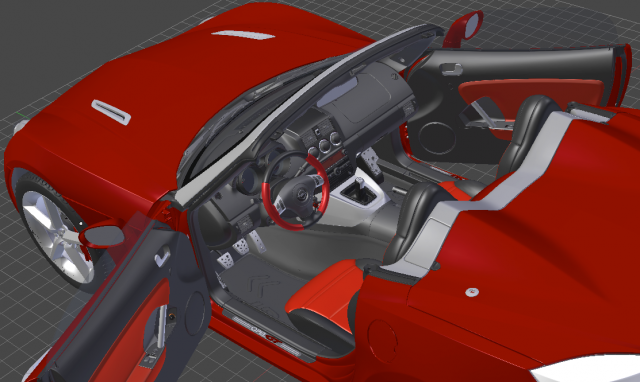
Fast Modelling
Blender’s comprehensive array of modeling tools make creating, transforming and editing your models a breeze.Blender’s modeling tools include:- Keyboard shortcuts for a fast workflow
- N-Gon support
- Edge slide, collapse and dissolve
- Grid and Bridge fill
- Python scripting for custom tools and addons
Realistic Materials
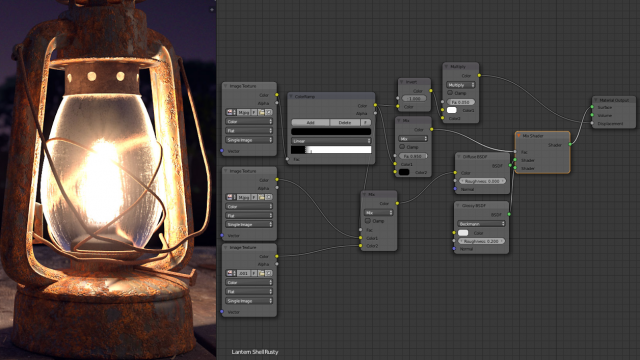
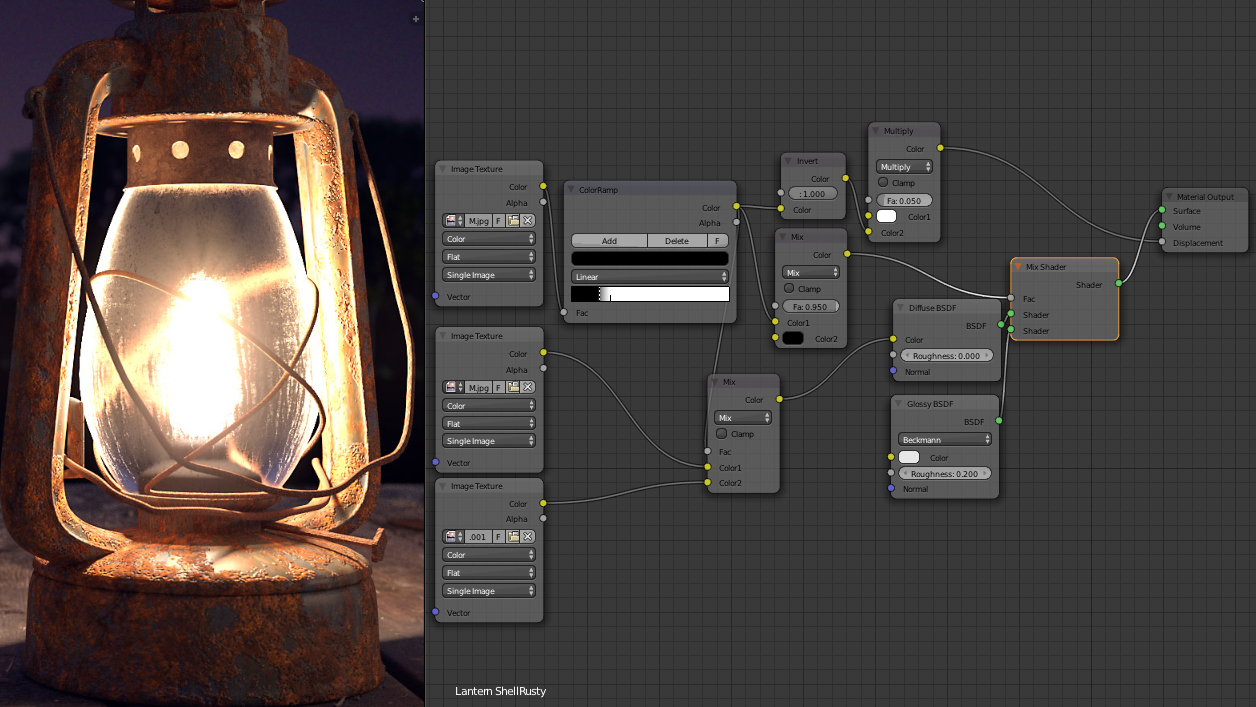
With Blender’s new rendering engine the possibilities for materials are endless.Key features are:- Complete Node Support for full customization
- Physically accurate shaders like glass, translucency and SSS
- Open Shading Language (OSL) support for coding unique shaders
Fast Rigging
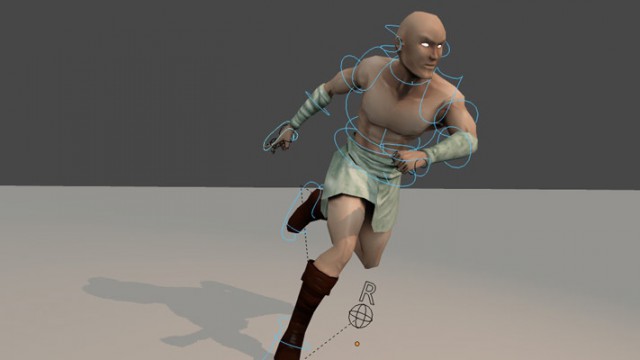
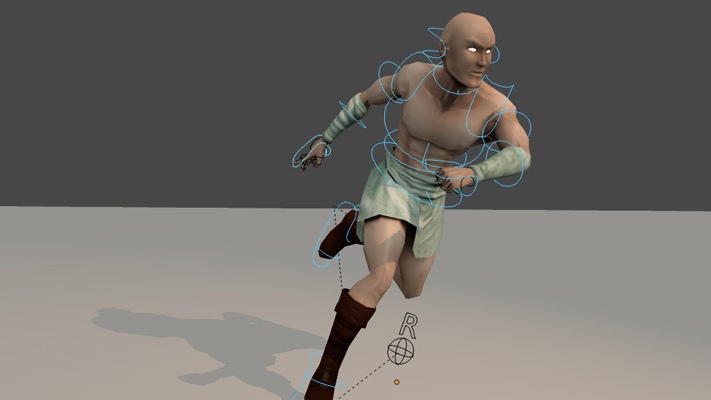
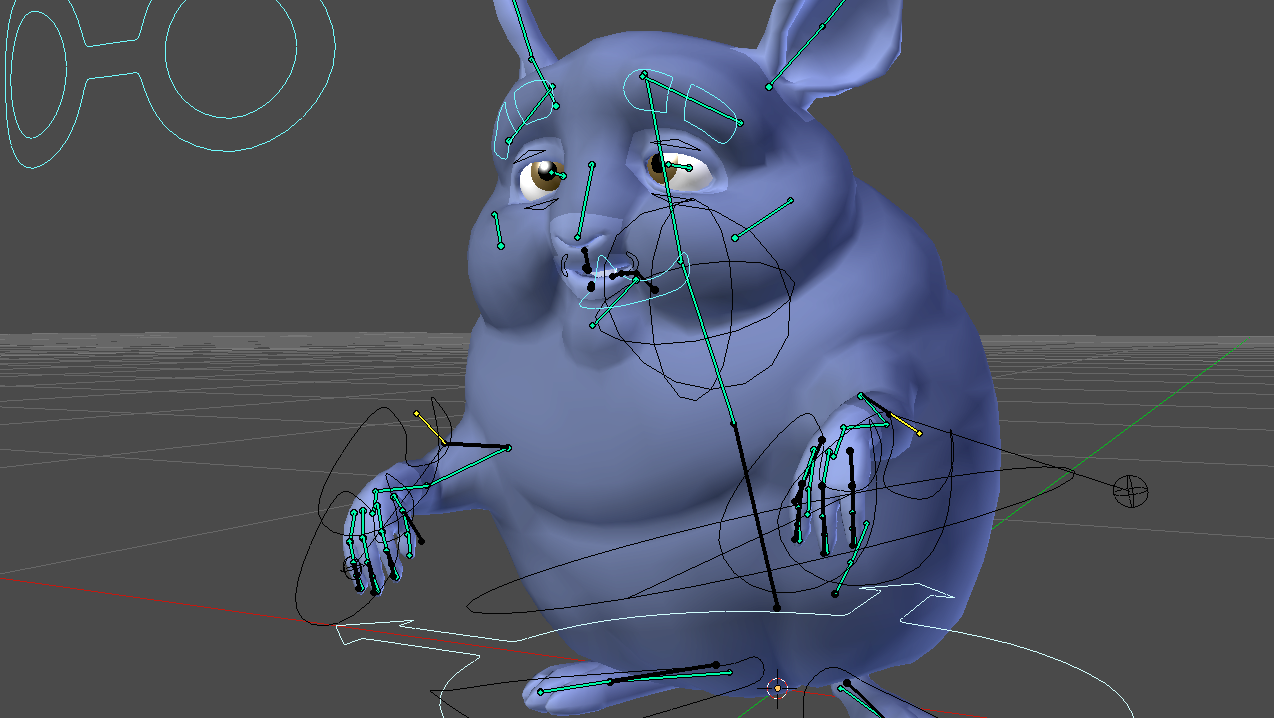
Transforming a model into a poseable character has never been easier!Blender offers an impressive set of rigging tools including:- Envelope, skeleton and automatic skinning
- Easy weight painting
- Mirror functionality
- Bone layers and colored groups for organization
- B-spline interpolated bones
Animation toolset
Whether it’s simple keyframing or complex walk-cycles, Blender allows artists to turn their still characters into impressive animations.Blender’s animation feature set offers:- Automated walk-cycles along paths
- Character animation pose editor
- Non Linear Animation (NLA) for independent movements
- IK forward/inverse kinematics for fast poses
- Sound synchronization
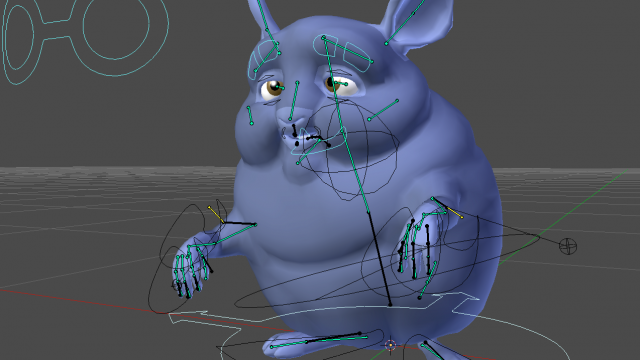

Sculpting
Experience the joy of sculpting organic subjects using the built-in sculpting feature set of Blender.Sculpting in Blender includes:- 20 different brush types
- Multi-res sculpting support
- Dynamic Topology sculpting
- Mirrored sculpting
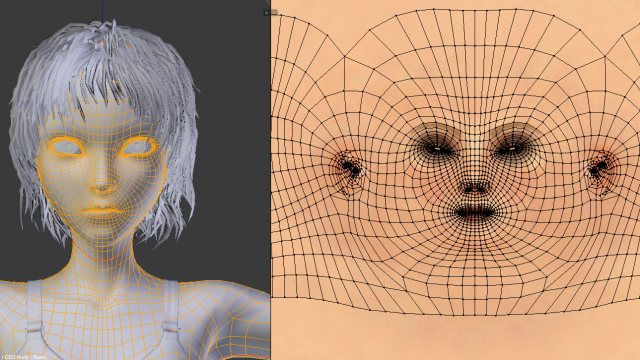
Fast UV Unwrapping
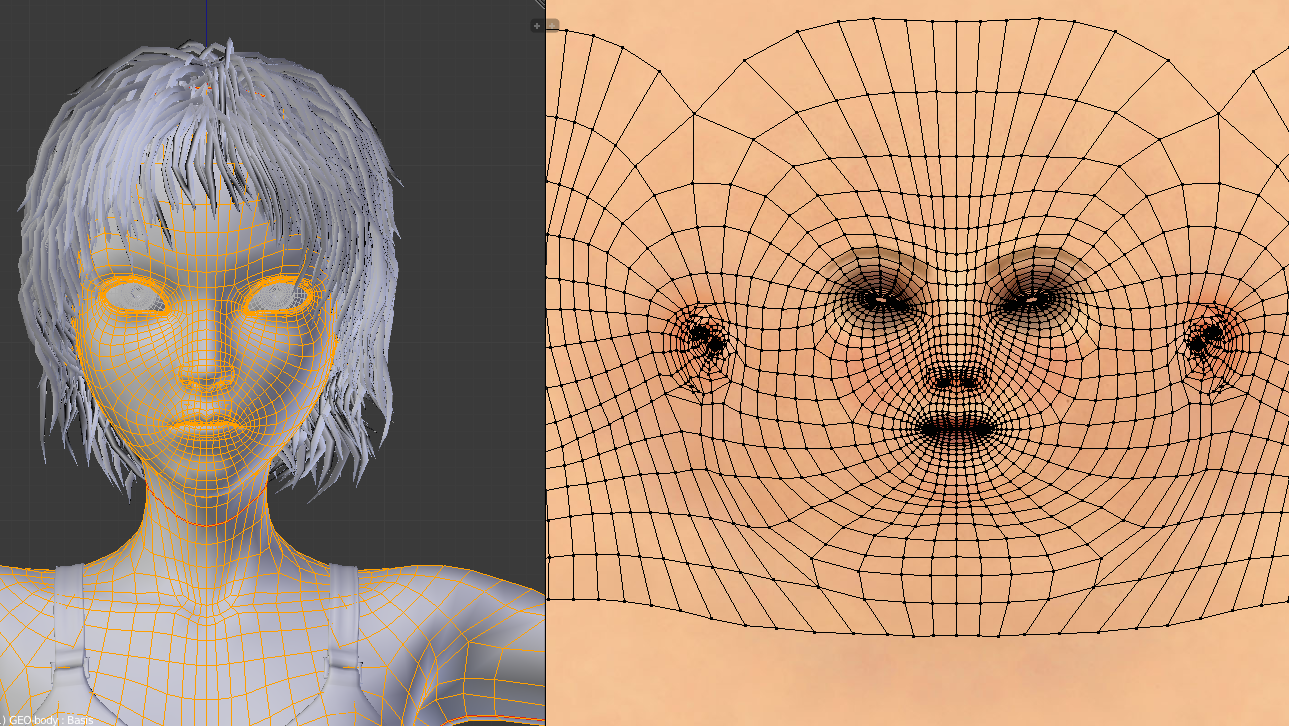
Easily unwrap your mesh right inside Blender, and use image textures or paint your own directly onto the model.Blender allows for:- Fast Cube, Cylinder, Sphere and Camera projections
- Conformal and Angle Based unwrapping (with edge seams and vertex pinning)
- Painting directly onto the mesh
- Multiple UV layers
- UV layout image exporting
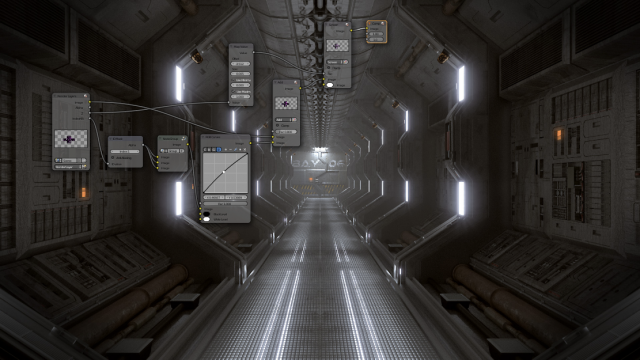
Full Compositor
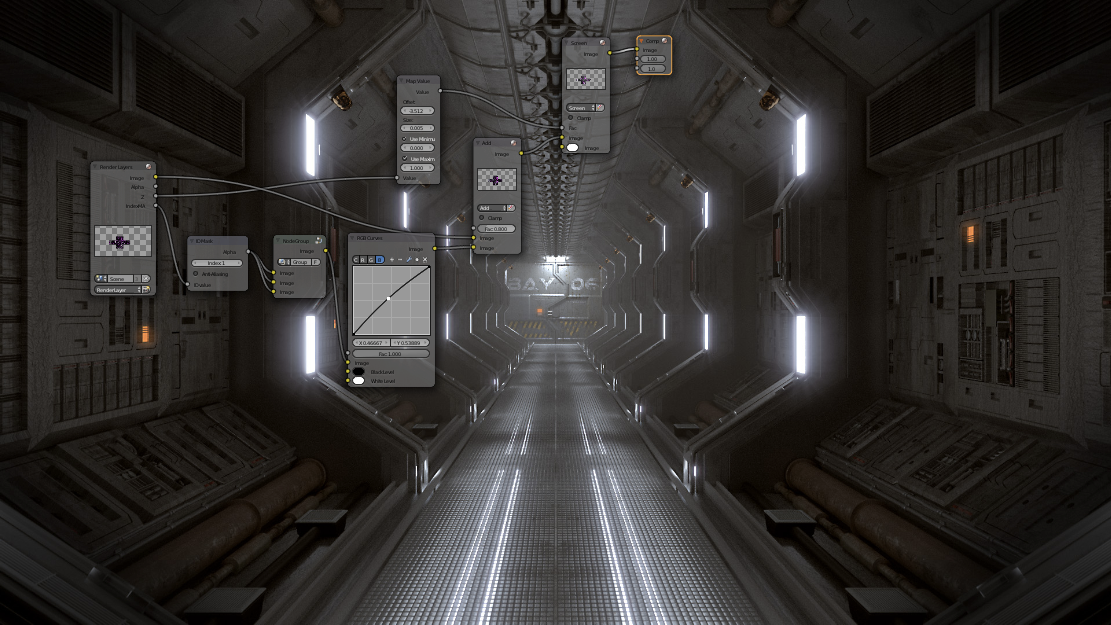
Blender comes with a fully fledged compositor built right in. That means no more exporting to third party programs, you can do it all without leaving the program.The compositor comes with:- Impressive library of nodes for creating camera fx, color grading, vignettes and much more
- Render-layer support
- Full compositing with images and video files
- Ability to render to multiLayer OpenEXR files
- Multi-threaded
Amazing Simulations
Whether you need a crumbling building, rain, fire, smoke, fluid, cloth or full on destruction, Blender delivers great looking results.Blender’s simulation tools include- Fluid – Realistic water and fluid simulations.
- Smoke – Billowing smoke with flames and scene interaction.
- Hair – Beautiful wafts of hair that blows in the wind and interacts with collisions.
- Cloth – Amazingly realistic cloth simulations for clothing and environments
- Rigid Body Physics – Makes any object destructable and collidable
- Particles – For creating things like rain, sparks and shrapnel


Game Creation
Included in Blender is a complete game engine, allowing you to create a fully featured 3d game right inside Blender.The game engine includes:- Ability to port your models to any third-party game engine
- Create or code your own game logic
- Full Bullet Physics integration
- Python scripting API for advanced control and AI
- Support for all OpenGLTM dynamic lighting, toon shading, animated materials as well as Normal and Parallax Mapping
- Playback of games inside Blender without compiling or preprocessing
- 3D spatial audio using OpenAL
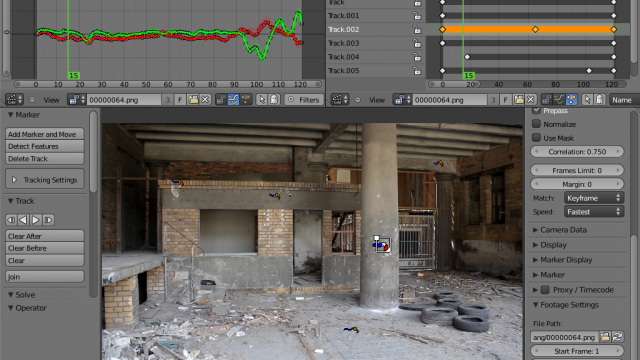
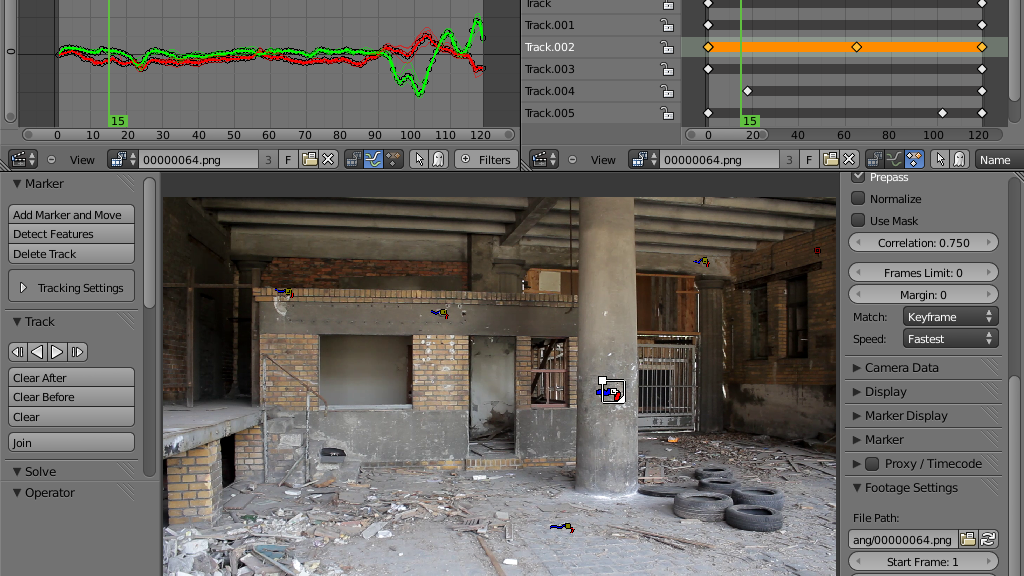
Camera and Object tracking
Blender now includes production ready camera and object tracking. Allowing you to import raw footage, track the footage, mask areas and see the camera movements live in your 3d scene. Eliminating the need to switch between programs.The Camera and Object Tracker includes:- Auto and manual tracking
- Powerful camera reconstruction
- Real-time preview of your tracked footage and 3d scene
- Support for Planar tracking and Tripod solvers
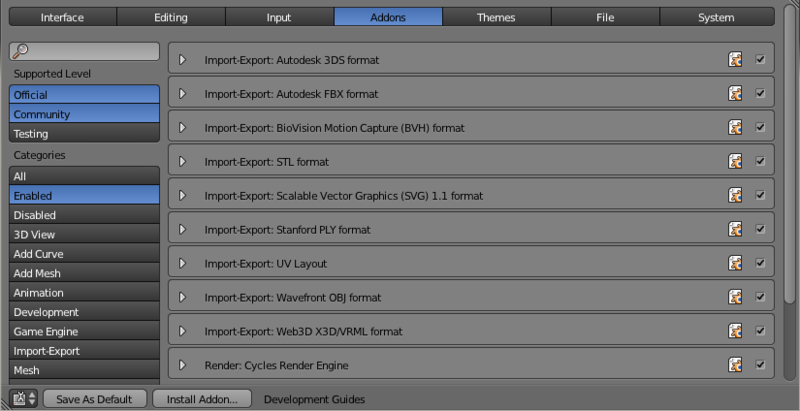
Library of Extensions
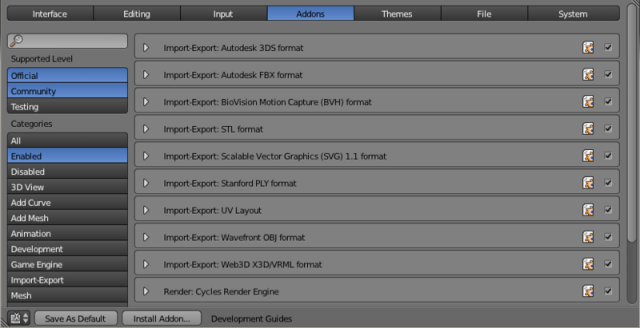
With a large community of enthusiasts and developers, Blender comes loaded with a vast array of extensions that you can turn on or off easily.Some existing extensions include:- Generators for trees, terrain, ivy and clouds.
- Fracture Objects.
- 3D Printing Toolbox.
- Rigify meta-rigging system.
- Import and Export format support for AfterEffects, DirectX, Unreal Game Engine and more!
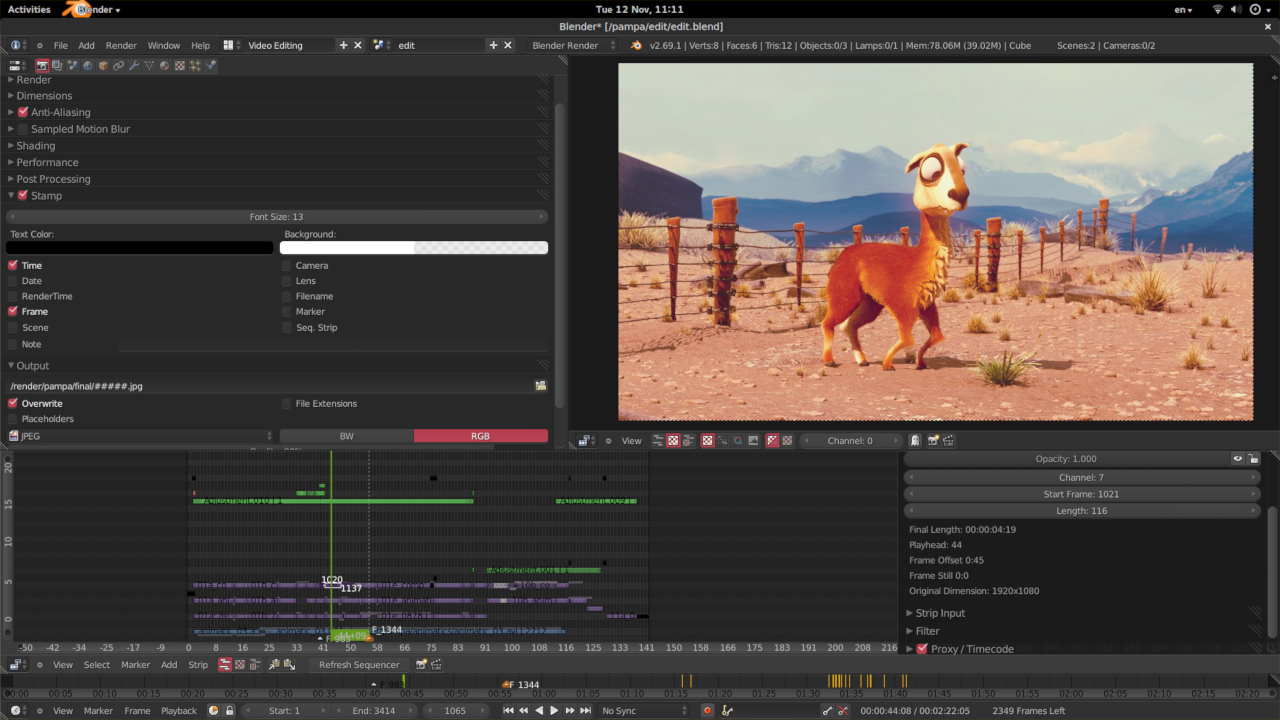
Video Editing
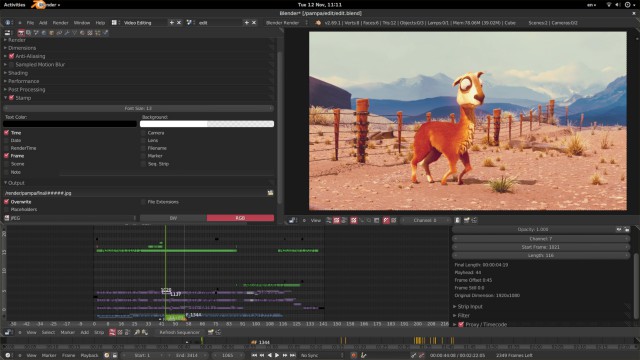
Blender even comes with a built-in Video Editor.The Video Editor allows you to perform basic actions like video cuts and splicing, as well as more complex tasks like video masking.The Video Editor includes:- Live preview, luma waveform, chroma vectorscope and histogram displays
- Audio mixing, syncing, scrubbing and waveform visualization
- Up to 32 slots for adding video, images, audio, scenes, masks and effects
- Speed control, adjustment layers, transitions, keyframes, filters and more.
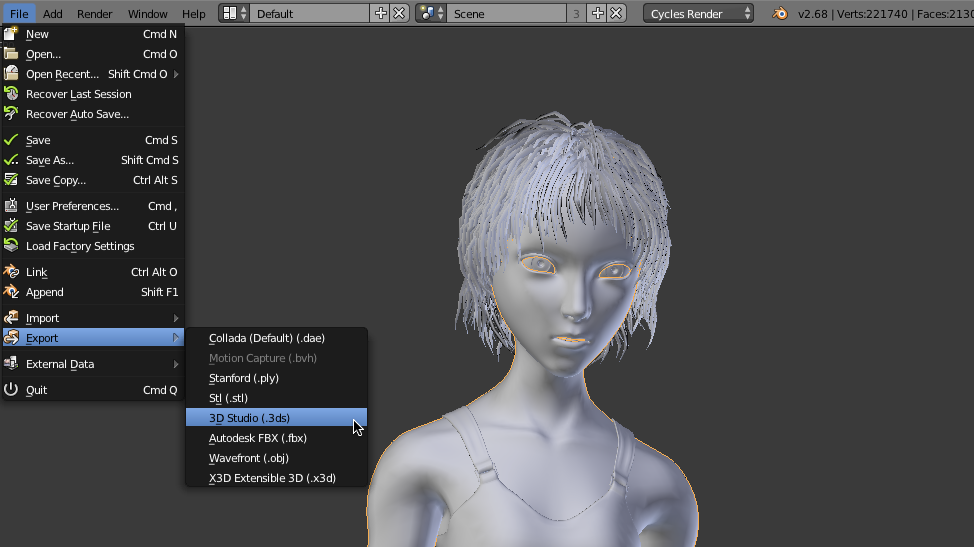
File Formats
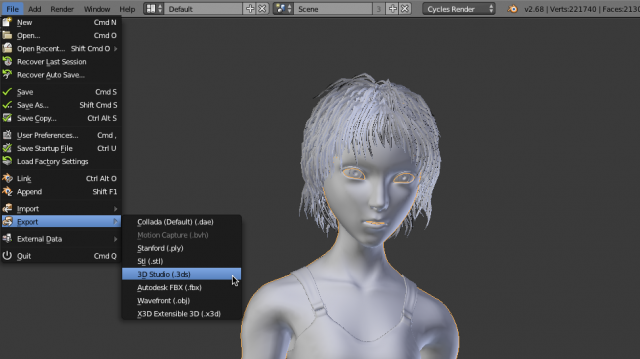
Blender comes packed with import/export support for many different programs.Including:- Image
JPEG, JPEG2000, PNG, TARGA, OpenEXR, DPX, Cineon, Radiance HDR, SGI Iris, TIFF - VideoAVI, MPEG and Quicktime (on OSX).
- 3D
3D Studio (3DS), COLLADA (DAE), Filmbox (FBX), Autodesk (DXF), Wavefront (OBJ), DirectX (x), Lightwave (LWO), Motion Capture (BVH), SVG, Stanford PLY, STL, VRML, VRML97, X3D.
Flexible Interface
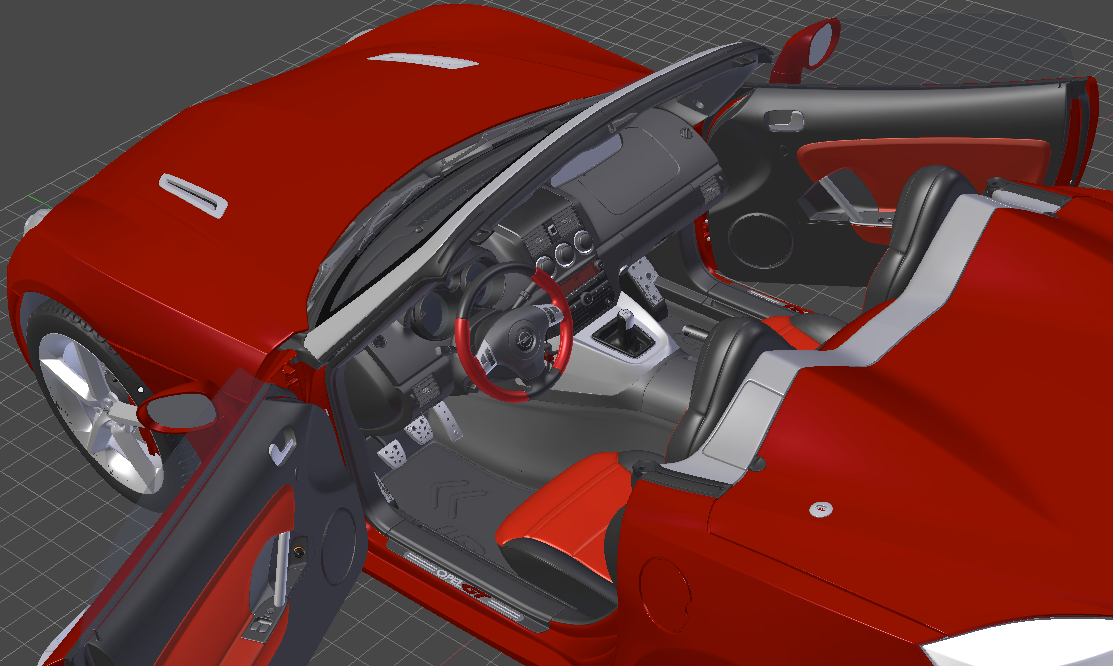
Novice and advanced users will love the ability to customize their layout completely. From simply splitting their viewport, to fully customizing it with python scripting, blender works for you.Blender’s interface also offers:- Consistency across all platforms
- No disruptive pop-up windows
- Crisp text (support for retina on OSX)






Just download & install following browser to access all blocked websites.

This Browser Open Blocked Website Free Download : In Pakistan Mostly Peoples search that how to open blocked websites? "Bypass proxy server", "Hide me" and "Access blocked websites" so i found an amazing browser which solve your all problems regarding proxy issues, This is a new browser which change your life totally because it give you power to access any kind of blocked website, Web freer is very much powerful browser which unblock any kind of website without any malware threat and This allow you to visit any web site fast, securely, and privately.
This is using hidden bypass proxy method which help you to access any kind of website without any loss and one big advantage of this is it never slow down your internet speed because this is same browser like Google Chrome and Firefox and this is very secure because it access all information through HTTPS secure connection.
This is a browser so you can download from follownig link Free Download and Install it just double click on setup exe file, This browser is highly secured browser so don't worry about security in web freer because it's very much secure as compare to other browsers.
Features
is Secure Browser
allow you to access any blocked website
have no malware threat
never put any effect on your internet speed
have all privacy features which user need
protect your identity
Browser Installation
1. First download Web freer browser from this Link Free Download
2. Then extract the zip file
3. Open Extracted Zip folder and run
4. After installation enjoy with free access of all website .
Password Required
Make up your photos in computer to make them amazing.

PhotoInstrument is an easy to learn tool for editing and retouching digital photos. The powerful raster graphics editor in PhotoInstruments quickly and easily allows you to adjust and process digital photos. PhotoInstruments rich tools and effects offer adjustments and photo retouching tools that are usually found only in expensive retouching software. Now with just a few clicks in PhotoInstrument anyone can solve most digital photo problems. So easy to use that anyone can apply these changes. Included with PhotoInstrument is a short video tutorial that will teach you how to use PhotoInstrument in just minutes. PhotoInstrument supports more than thirty image formats including PNG, JPG, BMP, TIF, PCX, TGA, EXR, ICO and Adobe Photoshop PSD. Support Photoshop-compatible plugins. PhotoInsturments user-friendly interface, supports these languages: Arabic, Armenian, Azerbaijani, English, Bulgarian, Czech, Danish, Dutch, Farsi, French, Georgian, German, Greek, Hebrew, Hungarian, Italian, Indonesian, Korean, Kurdish, Malay, Polish, Portuguese, Russian, Serbian, Slovak, Spanish, Simplified Chinese, Traditional Chinese, Turkish, Vietnamese.
Photoinstrument is a small software tool which provides users with a simple means of editing their photos, and supports a wide range of image formats.
Seamless setup and well-organized layout
You are required to go through a pretty simple and quick installation process, which does not come bundled with any unpleasant offers from third-party products.
The interface is pretty typical for a simple editing application, which means that power users will find it familiar. Less experienced ones will easily learn how to handle it, as it packs several video tutorials. It consists of a menu bar, a toolbox, some buttons and a pane in which to view your ongoing project.
Supported extensions and some basic customizable tools you can use
It is possible to upload pictures in a wide variety of formats, including JPG, BMP, PNG, CUT, GIF, ICO, KOA, PCD, PSD, RAS, PPM, DDS and PGM.
Photoinstrument enables you to correct many issues that are commonly found in pictures, such as skin blemishes, out of focus objects and over or under exposure. Consequently, the program puts at your disposal a pretty substantial amount of tools and options.
To be more precise, you can easily blur, sharpen, lighten, darken or smudge certain areas of a photo, clone a specified object and or add a liquefying effect. You can also use a brush or a red eye removal tool, adjust the brightness, contrast, hue, saturation, lightness and color levels, rotate, scale or crop pictures.
It is important to note here that all these options can be customized with ease, so that you can edit even the finer details in photos.
Remove imperfections, add watermarks and unreliable undo function
Aside from these, you can also access and use some more advanced features, such as clearing the skin in a portrait, applying a glamour skin effect or removing blemishes, scratches and noise. Last but not least, you can easily input a custom text string or image, as watermarks or logos for example.
A small setback is that the undo and redo functions do not always work properly, sometimes leading you backwards or forwards more than one step and taking quite a while to be completed.
Performance and conclusion
The amount of resources required by Photoinstrument is quite significant at times, which means that the computer’s performance is going to be affected and using it on an older computer can prove to be quite difficult. The response time is not always good, yet the interface is intuitive and there are plenty of options to tweak.
To conclude, this is a pretty handy piece of software, dedicated to all types of users, looking for a simpler method of editing and enhancing their photographs.
Seamless setup and well-organized layout
You are required to go through a pretty simple and quick installation process, which does not come bundled with any unpleasant offers from third-party products.
The interface is pretty typical for a simple editing application, which means that power users will find it familiar. Less experienced ones will easily learn how to handle it, as it packs several video tutorials. It consists of a menu bar, a toolbox, some buttons and a pane in which to view your ongoing project.
Supported extensions and some basic customizable tools you can use
It is possible to upload pictures in a wide variety of formats, including JPG, BMP, PNG, CUT, GIF, ICO, KOA, PCD, PSD, RAS, PPM, DDS and PGM.
Photoinstrument enables you to correct many issues that are commonly found in pictures, such as skin blemishes, out of focus objects and over or under exposure. Consequently, the program puts at your disposal a pretty substantial amount of tools and options.
To be more precise, you can easily blur, sharpen, lighten, darken or smudge certain areas of a photo, clone a specified object and or add a liquefying effect. You can also use a brush or a red eye removal tool, adjust the brightness, contrast, hue, saturation, lightness and color levels, rotate, scale or crop pictures.
It is important to note here that all these options can be customized with ease, so that you can edit even the finer details in photos.
Remove imperfections, add watermarks and unreliable undo function
Aside from these, you can also access and use some more advanced features, such as clearing the skin in a portrait, applying a glamour skin effect or removing blemishes, scratches and noise. Last but not least, you can easily input a custom text string or image, as watermarks or logos for example.
A small setback is that the undo and redo functions do not always work properly, sometimes leading you backwards or forwards more than one step and taking quite a while to be completed.
Performance and conclusion
The amount of resources required by Photoinstrument is quite significant at times, which means that the computer’s performance is going to be affected and using it on an older computer can prove to be quite difficult. The response time is not always good, yet the interface is intuitive and there are plenty of options to tweak.
To conclude, this is a pretty handy piece of software, dedicated to all types of users, looking for a simpler method of editing and enhancing their photographs.
Compress JPEG picture files to make them light weight.

JPEG Compressor is a windows program that is integrated to Windows Explorer in order to compress and convert images to the JPEG format in order they can be used for Internet purposes.
True to its name, this utility takes photo compression very seriously. On the plus side, Advanced JPEG Compressor supports a wide range of image formats and packs a number of features for fine-tuning compression, even when working with large batches of shots. The downside to this extensive level of control is a crowded, chaotic interface that may scare off newcomers. The program lets you set compression ratio and levels, and offers handy sliders for equalizing the detail quality. Folks who really want to get detailed will appreciate the abilities to tweak sharpness, luma equalization, smoothness, brightness, and color balance. In addition to the rotation feature, you'll find a tool that lets you add a watermark, with the ability to adjust its font, placement, and opacity. In our tests, this program quickly shrunk our images without a noticeable loss in quality, even when we took a closer look with the powerful zoom tool. However, since the demo version won't let you save compressed shots, some users may not find it as handy as similar, less-restrictive programs. Still, seasoned shutterbugs who need to save space without sacrificing quality likely will get a lot out of Advanced JPEG Compressor.
Give water movement effect to your wallpaper and many more.

Nature Illusion Studio - Overview
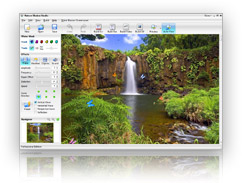
Transform your vacation photos at the beach, waterfall, lake, and other places into living photos.
Add realistic water, snow, rain effects, and furnish it with animated butterflies, birds, and other objects to bring your holiday moment back to reality.
With Nature Illusion Studio's intuitive and easy to use user interface, you can easily create your own animated photos in just a few minutes. No graphic design skills needed!
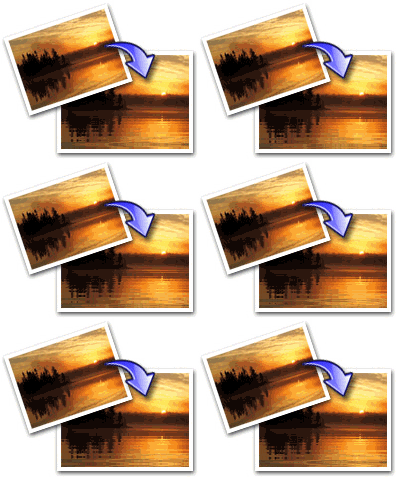 Add realistic water effects to your photos
Add water effects into your digital photos and bring the original spirit and excitement of the holiday back to life!
The effects have been recreated with accurate physics, so ripples on the water, waterfall, or waves movement look and behave just like they might in the physical life.
Amazingly the water effects can also be applied onto other image such as fog, smoke, fire, or even leaves.
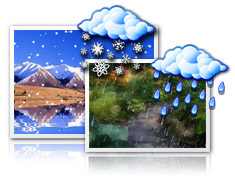 Add rain and snow effects
With just a single click you can bring winter or wet season instantly to your photos.
Moreover you can customize the intensity of the raindrops or the snow flakes, the wind direction, the falling speed, as well as its appearance by changing the transparency and size to make it realistic and relevant to your photos.
 Add animated objects
Make your photos livelier, add living objects such as flying birds, butterflies, fishes, thunders, or anything else to your photos with animated objects feature.
Basically you can produce anything that you like with this powerful feature, your creativity is the only limit!
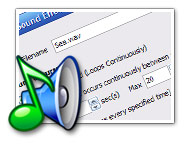 Add sound effects
Visual effects alone are not enough.. Add sound effects and background music to your photos!
Nature Illusion Studio lets you add the sound of waterfall, river stream, birds chirping, or any sounds you like.
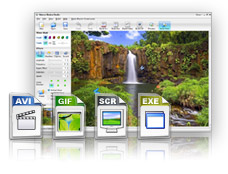 Enjoy the result in many formats
Nature Illusion Studio allows you to produce your living photos as screensavers, executables, videos, or animated gifs, meaning you have a complete set of formats for your prefered purposes, whether to use it for your own enjoyment, share it with your loved ones, publish it in your website, upload the videos to youtube.. It's your choice.
Increase speed of DSL internet by boosting with this tool.

The TCP Optimizer is a free, easy Windows program that provides an intuitive interface for tuning and optimizing your Internet connection. There is no installation required, just download and run.
The program can aid both the novice and the advanced user in tweaking related TCP/IP parameters in Windows, making it easy to tune your system to the type of Internet connection used. The tool uses advanced algorithms, and the bandwidth*delay product to find the best TCP Window for your specific connection speed. It provides for easy tuning of all related TCP/IP parameters, such as MTU, RWIN, and even advanced ones like QoS and ToS/Diffserv prioritization. The program works with all current versions of Windows, and includes additional tools, such as testing average latency over multiple hosts, and finding the largest possible packet size (MTU).
The TCP Optimizer is targeted towards broadband internet connections, however it can be helpful with tuning any internet connection type, from dialup to Gigabit+ :) It is completely free, requires no installation, and has been downloaded over 3 Million times.
The program can aid both the novice and the advanced user in tweaking related TCP/IP parameters in Windows, making it easy to tune your system to the type of Internet connection used. The tool uses advanced algorithms, and the bandwidth*delay product to find the best TCP Window for your specific connection speed. It provides for easy tuning of all related TCP/IP parameters, such as MTU, RWIN, and even advanced ones like QoS and ToS/Diffserv prioritization. The program works with all current versions of Windows, and includes additional tools, such as testing average latency over multiple hosts, and finding the largest possible packet size (MTU).
The TCP Optimizer is targeted towards broadband internet connections, however it can be helpful with tuning any internet connection type, from dialup to Gigabit+ :) It is completely free, requires no installation, and has been downloaded over 3 Million times.
Optimizing your Internet connection takes time and requires a certain set of skills in order to be properly done. While it's not a must, you are sure to get a boost in performance and security, as your connection, by default, does not operate at its best. This happens due to operating system restrictions. This is the time for specialized software to step in and bring the set of needed tools for this particular operation.
TCP Optimizer sits at the top of its software category, providing a comprehensive yet safe environment for network interface cards tweaking. It covers the basics as well as more in-depth registry operations. It does not overlook the quirks of the Microsoft TCP/IP implementation and RFC (Remote Function Call) related anomalies. It also checks for screw-ups within the registry and even adds compelling parameters to the existing registry keys.
The interface of the application may look crowded for beginners as there is no lack of drop-down menus for the impressive number of customizable settings. TCP Optimizer retains that professional touch though by granting advanced users the chance to get under the hood and tinker its most hidden aspects. The Connection Speed slider at the top of the main interface window allows you to set the maximum available bandwidth for your connection.
You can also pick from Windows Default, Current, Optimal or Custom options for the general setting of the program depending on your chosen Connection Speed. In case you decide to go Custom, a very generous number of options will become available for selection. You are able to work with the TCP Window Auto-Tuning, TCP Chimney Offload or ECN Capability features. Just make sure you are accurately documented as any faulty setting may result in deficient speed and weak security.
Once you open up the Advanced Settings tab, a new wave of options unveils itself. They're split in categories for Internet Explorer Optimization, Host Resolution Priority, Network Memory Allocation, Type / Quality of Service, Gaming Tweaks, DNS Error Caching or Dynamic Port Allocation. The BDP (Bandwidth Delay Product) tab section offers a calculator for quick approximation of RWIN (TCP Window) values.
You are also given the tools for MTU / Latency tests such as Largest MTU or Trace. If all of these have only open your appetite for connection tweaking, the last tab of the application comes to sum them all up. This is the registry zone and you are in full control of the TCP/IP, Internet Settings, DNS Cache, LanManServer and LanManWorkstation keys.
TCP Optimizer can be easily regarded as the top tool for this specific job of Internet connection tweaking. Its feature list is massive and the fact that it actually does what it's supposed to boosts it in the front of the pack. Powerful yet easy-to-use software is always welcomed and TCP Optimizer is one serious addition to this thin crowd.
TCP Optimizer sits at the top of its software category, providing a comprehensive yet safe environment for network interface cards tweaking. It covers the basics as well as more in-depth registry operations. It does not overlook the quirks of the Microsoft TCP/IP implementation and RFC (Remote Function Call) related anomalies. It also checks for screw-ups within the registry and even adds compelling parameters to the existing registry keys.
The interface of the application may look crowded for beginners as there is no lack of drop-down menus for the impressive number of customizable settings. TCP Optimizer retains that professional touch though by granting advanced users the chance to get under the hood and tinker its most hidden aspects. The Connection Speed slider at the top of the main interface window allows you to set the maximum available bandwidth for your connection.
You can also pick from Windows Default, Current, Optimal or Custom options for the general setting of the program depending on your chosen Connection Speed. In case you decide to go Custom, a very generous number of options will become available for selection. You are able to work with the TCP Window Auto-Tuning, TCP Chimney Offload or ECN Capability features. Just make sure you are accurately documented as any faulty setting may result in deficient speed and weak security.
Once you open up the Advanced Settings tab, a new wave of options unveils itself. They're split in categories for Internet Explorer Optimization, Host Resolution Priority, Network Memory Allocation, Type / Quality of Service, Gaming Tweaks, DNS Error Caching or Dynamic Port Allocation. The BDP (Bandwidth Delay Product) tab section offers a calculator for quick approximation of RWIN (TCP Window) values.
You are also given the tools for MTU / Latency tests such as Largest MTU or Trace. If all of these have only open your appetite for connection tweaking, the last tab of the application comes to sum them all up. This is the registry zone and you are in full control of the TCP/IP, Internet Settings, DNS Cache, LanManServer and LanManWorkstation keys.
TCP Optimizer can be easily regarded as the top tool for this specific job of Internet connection tweaking. Its feature list is massive and the fact that it actually does what it's supposed to boosts it in the front of the pack. Powerful yet easy-to-use software is always welcomed and TCP Optimizer is one serious addition to this thin crowd.
Subscribe to:
Posts (Atom)


